AIAgentsDotsProductivity
Agents Aren't Ready to Work Alone. I Gave One My Kanban Board Anyway.
7 min read
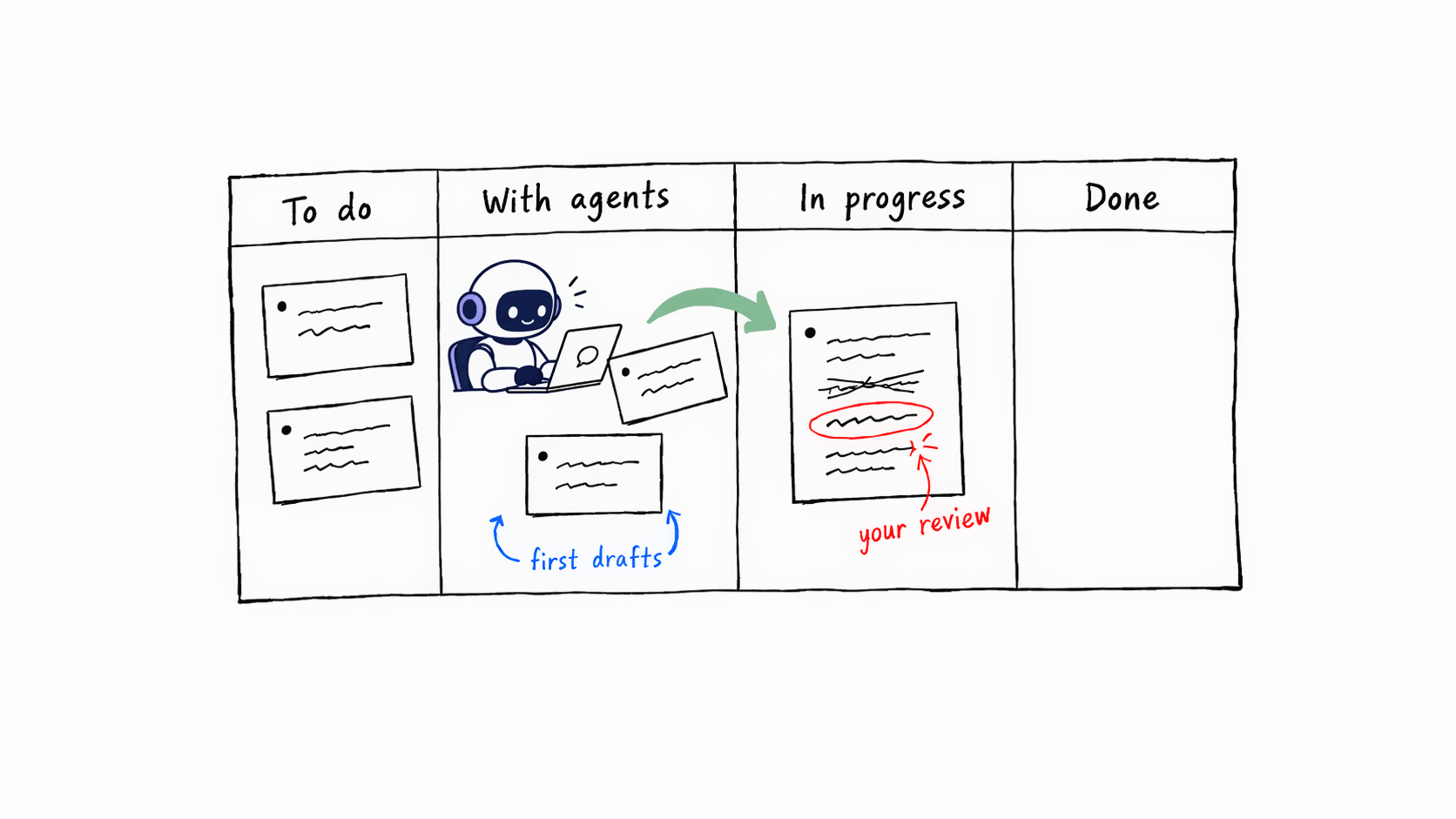
If you spend time on LinkedIn or X, you've probably seen the claim that AI agents can now work fully autonomously. Give them a goal, come back later, and the job is done.
That isn't what I experience. Agents aren't ready to do work on their own. Everything they hand back still needs a review, sometimes a lot of it.
But despite that, they can be very useful. Last week Ying wrote about giving a team of AI agents a shared close calendar, so they could coordinate a month-end close while people review and approve. I already have all my tasks on a kanban board in Notion. So I wondered: Why not let an agent work directly on my board?
OpenAI had just released a product that fits this idea. Dots launched on 29 September for all Business and Enterprise users. If you have a personal account in the EU, the UK or Switzerland, you'll have to wait a bit longer. A Dot is a personal assistant that remembers conversations and proactively tries to do stuff for you. That sounded exactly like the right thing to help coordinate my tasks.
So when I got access I asked Dots to periodically check if there are new tasks on my board. If it sees one it should work on the task and notify me once the output is ready for review. Below I'll walk through one task from start to finish and show you the setup so you can copy it.
At DevDay, OpenAI also announced a bigger update to ChatGPT plugins. To understand plugins a bit better I created a task: "Research what the new ChatGPT plugin feature is and, to make it illustrative, show me a few ideas how it could be useful for finance."
I created this task in the To do column. Dot checks that column regularly and tells me whether the description is clear enough to start. Once it was, I dragged the card to With agents and went to make a coffee.
Halfway through, my phone buzzed. Dot had found that some features are only available on Enterprise plans, and asked whether to only include ideas that work on all plans. I answered and went back to making coffee.
About 15 minutes later, another message: The draft is ready. I went back to my desk and opened it on my computer.
The outcome was a mixed result. The description of the plugin feature was accurate and detailed. I had read the docs myself as well, and it matched. The finance ideas were hit and miss. A few I couldn't do anything with, like automating accrual accounting. Others were more familiar. Overall it gave me a good intuition of how plugins could be deployed.
Compare that with another task from the same week: Moving our website images to Cloudflare for hosting. That one came back needing almost no review.
Both times the agent did real work while I was away from my desk. How much review the result needed depended on the task.
If you want to try this, you need two things: A kanban board with your tasks and a ChatGPT subscription with Dots. I use Notion, but Dots also connects to other task tracking tools like Jira, Azure DevOps, Linear, etc. The idea works with any of them.
My board had three columns and I newly added a fourth one for the agents. In my case I want Dots to keep an eye on these two:
New tasks waiting to be picked up
An agent is working on it
Draft is ready and/or I'm working it
Finished
 DejanWebsite
Once Dots is rolled out to you, your Dot shows up as "Your dot" in the sidebar of the app.
From chatting to people, I realized that Dots isn't widely rolled out yet. Depending on your plan, it might not be available to you yet.
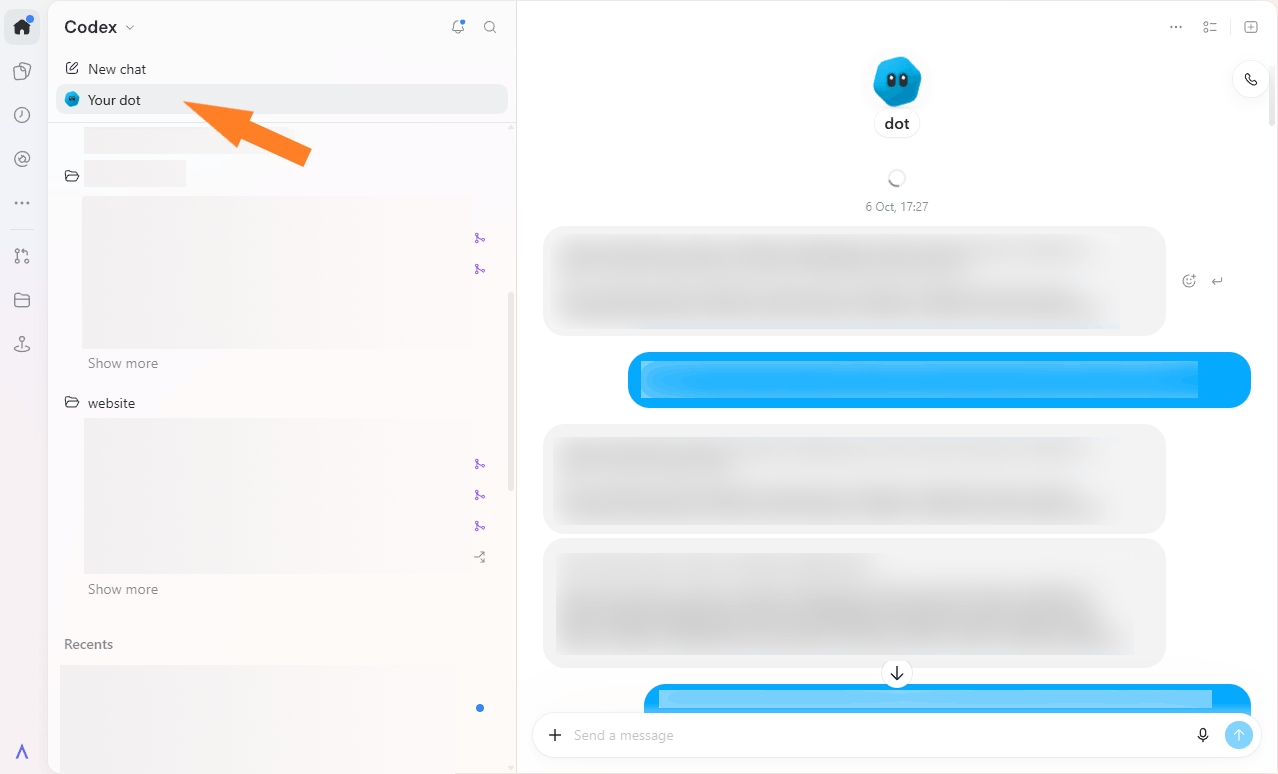
The first step is to connect ChatGPT to Notion (or your task tool), then tell Dots which board to use:
This is the main instruction:
Codex is OpenAI's agent for coding and other technical work and has its own consumption limits. The Dot itself runs on GPT-6 Astra, while Codex lets you choose a model and reasoning effort. In the instruction above, I ask for Sol 6.1 with xHigh reasoning for executing the task.
Dot now gives me a heads-up if a description is non-existent or too vague, which forces me to be clear upfront about what I want.
Through trial and error I learned that in particular the context is very important. The more relevant information you can provide, the better it'll do the job. Example: When designing a slide don't just say "Add a table that shows xyz". Instead point at a template that already has the layout you want.
Depending on the type of task, the first draft might be quite bad. The pattern I'm seeing so far is that tasks with a clearly verifiable result come back almost perfectly. Tasks that need taste or judgment require lots of refinements still.
For instance, the research on ChatGPT plugins felt partially succesful. Asking the agent to migrate the website to a different provider worked out of the box.
So at times reviewing is still hard work. But I would have gone through many more iterations if I had done the work myself from scratch.
So is it worth it then? Before this setup, I would work on one to two chats at a time. I'd describe a task in ChatGPT/Codex, then review and iterate. In between I'd switch back and forth between chat windows. Most of my time went on juggling between giving instructions for new tasks and reviewing ready ones.
Now I write tasks once in the To do column and drag several over into With agents. Dots spins up several agents which work in parallel. I don't need to set each one up. When I sit down to review I only focus on reviewing.
Handing this first phase over and letting the agents work in the background feels exciting. I don't need to be at my desk for that piece of work to happen. It's too early to draw conclusions but so far after 5 days, I'm finishing about twice as many tasks as before. It's a short trial, so treat that with a caveat.
If you want to try it, start with one task. Pick a task you'd normally start yourself, write it clearly, and give it to an agent. An agent may not finish it, but it can start.