AIModelChatGPT
Choosing a ChatGPT Model for Finance: My Two Defaults

6 min read
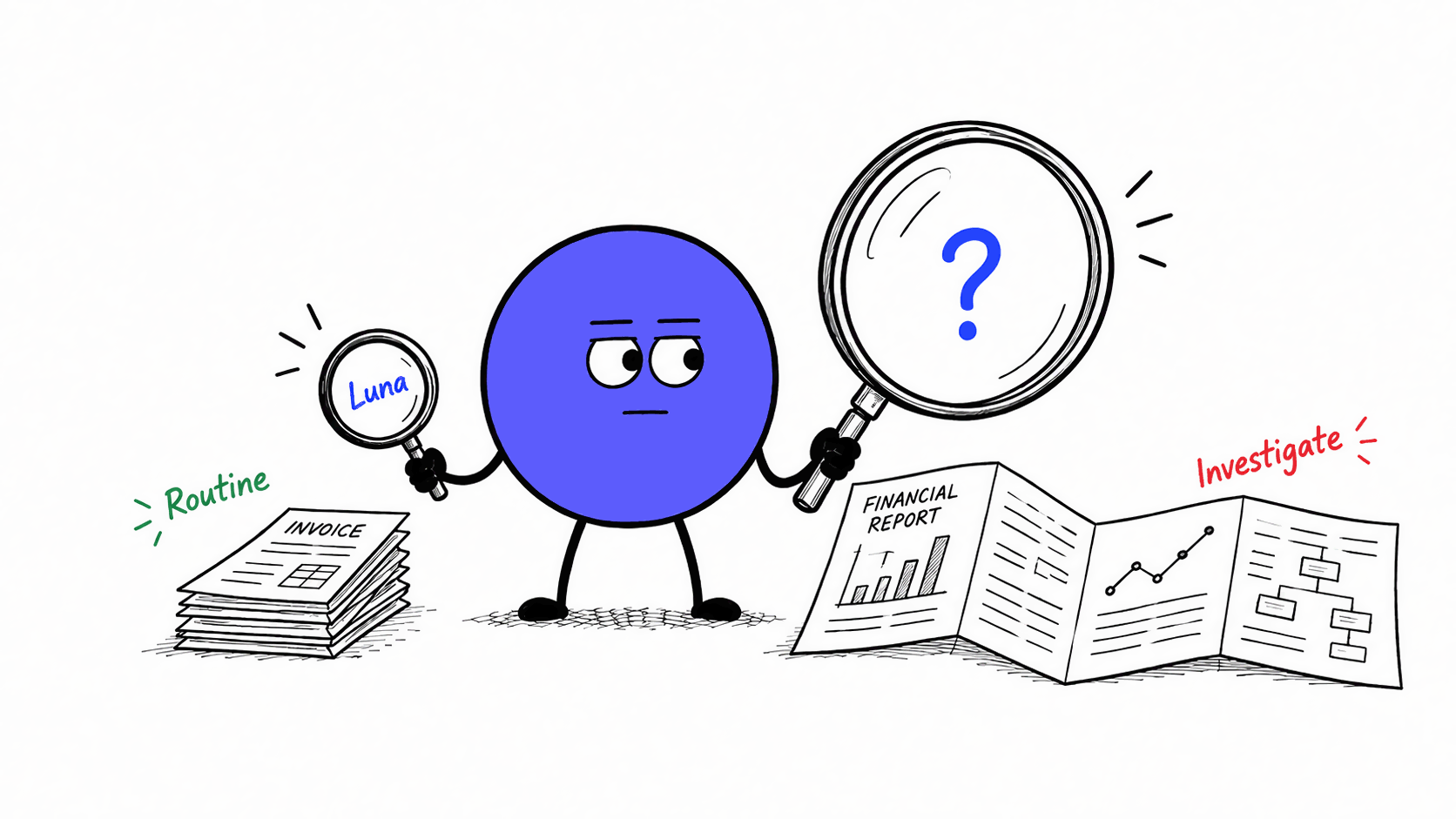
The AI model you choose can massively affect the quality of your outputs. ChatGPT offers several models with different capabilities, each with a different balance of cost and output quality. I'll focus on the four latest ones: GPT-6 Astra, GPT-5.6 Sol, GPT-5.6 Terra and GPT-5.6 Luna.
Some of the people I've spoken with weren't aware of the different model options. With GPT-6 Astra now available, this is a great time to look at what each model offers and which finance tasks it may suit best. For my own work, I use just two: GPT-5.6 Luna and GPT-6 Astra.
OpenAI's official model guide describes the models as follows:
GPT-5.6 Luna sounds like the most well-defined option. But from these descriptions it is still not clear when to pick GPT-6 Astra, GPT-5.6 Sol or GPT-5.6 Terra. Comparing their benchmark scores and costs gives us a more concrete basis for picking the right one for the job.
Artificial Analysis is an organization that independently evaluates models using its Intelligence Index. It evaluates output quality for reasoning, knowledge work and coding tasks. I'll use the Intelligence Index as a broad indicator of output quality. Below you can see the results by model together with the average cost per benchmark task.
| Model | Intelligence Index | Cost per benchmark task |
|---|---|---|
| GPT-6 Astra | 53 | $3.26 |
| GPT-5.6 Sol | 47 | $1.99 |
| GPT-5.6 Terra | 42 | $1.40 |
| GPT-5.6 Luna | 38 | $0.18 |
GPT-6 Astra has the highest score and the highest cost. GPT-5.6 Luna scores lowest, but costs about ~20x less. These figures compare the models at their highest reasoning setting, Max. The reasoning effort controls how much work a model puts into thinking through a task. More effort can improve the result, but usually takes longer and costs more.
For a proper assessment we need to consider both the model and its reasoning setting. With four models and five reasoning settings (Low, Medium, High, Extra High, Max) that's a lot of combinations!
With so many combinations, it helps to first eliminate those that give us less for our money. The efficient frontier identifies the highest score for a given budget, or the lowest cost for a given score.
Put on a scatter plot, each point on the chart represents a model and reasoning setting. Higher on the y-axis means a better Intelligence Index score and further left on the x-axis means lower cost. The efficient frontier is the dashed line along the upper edge. It connects the models with the best available trade-offs between benchmark score and cost.
Any model below the frontier offers no advantage because you can either get the same quality for cheaper or better quality for the same cost. For example, GPT-5.6 Terra at medium effort and GPT-5.6 Luna at Max both cost $0.18 per task, but GPT-5.6 Luna scores 38 against GPT-5.6 Terra's 30. So you're better off picking GPT-5.6 Luna at Max.
Artificial Analysis published in July that GPT-5.6 Luna and GPT-5.6 Sol offered better cost–quality characteristics than GPT-5.6 Terra across all reasoning efforts. The latest evaluation including GPT-6 Astra shows that GPT-6 Astra beats GPT-5.6 Sol in most instances. The chart below shows these results.
Each point is a model and reasoning setting. Higher and further left is better.
Source: Artificial Analysis release pages for GPT-5.6 Luna, GPT-5.6 Terra, GPT-5.6 Sol, GPT-6 Astra, ()
Cost per benchmark task (USD, logarithmic scale)
My practical recommendation is GPT-5.6 Luna on Max for clearly defined work, and GPT-6 Astra on Extra High for complex tasks involving many steps. Personally, I also use GPT-6 Astra on Low for tasks that are in-between. The reason for not always just using GPT-6 Astra is cost, i.e. GPT-5.6 Luna on Max is ~10x cheaper than GPT-6 Astra on Extra High.
Applying that to some concrete finance and insurance tasks, these are the models I'd start with as defaults:
| Task | Default | Why |
|---|---|---|
| Build an insurance portfolio scenario analysis, from data preparation to calculations, checks and a management report | GPT-6 Astra | Many steps, requires strong reasoning |
| Draft an accounting-policy analysis from policy documents and contract specifics | GPT-6 Astra | Ambiguity and judgement justify using the more capable model |
| Prepare monthly FP&A commentary from reconciled tables and agreed controller explanations, following an established template | GPT-5.6 Luna | The explanation and format are already defined |
| Extract KPIs from images or PDFs, or invoice details into a fixed table | GPT-5.6 Luna | The fields and rules repeat across documents |
Public benchmarks give us a useful overall comparison, but model performance can differ on specific finance and insurance tasks. A small benchmark using your own tasks and documents helps identify the best model for your work.
You can use the ChatGPT app in three ways:
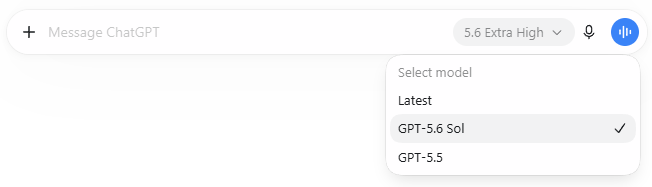
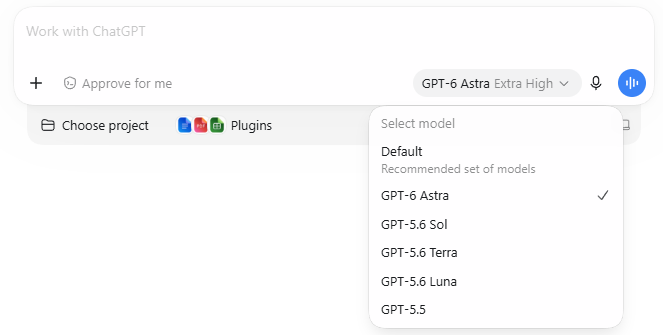
Some organizations currently enable only Chat, with GPT-5.6 Sol and the older GPT-5.5 in their model menu. Work and Codex support all four models.
In Chat, the model and reasoning selector is next to the chat field:

In Work, or Codex on desktop, you can find it in the same place but with more options:
If a model is missing, check access with your administrator.
Picking a model is not an exact science. Depending on which benchmark you look at, you might come to slightly different conclusions. So treat the suggestions here as a rule of thumb:
For everyday work, I'd use GPT-5.6 Luna and GPT-6 Astra:
In the end, the best way to find the right model is just to try different ones for your particular task. Try these settings on a task you know well, and compare how much correction each result needs.